Find Resume Tool (YAMLResume)
Just like a submitted answer sheet, an easy-to-read layout and appropriate wording can always leave a better impression. If my resume can be clear at a glance, allowing others to understand me in a short time, then my resume is successful. Whether I will be admitted is another matter.
Meanwhile, to speed up resume creation and avoid getting trapped in the endless loop of adjusting formatting and layouts, I started with Word templates and canvas templates. It wasn’t until I came across LaTeX resume templates that I exclaimed “Wow” — this is exactly what I wanted.
Similar to Markdown, with LaTeX, you just need to mark up the content with tags, and there’s no need to worry about typesetting at all. Unlike Word, where the layout jumps around unpredictably, you only need to focus on the content.
Since I don’t know LaTeX syntax and wanted to create a resume quickly, I then found YAMLResume, a more user-friendly tool. It simplifies LaTeX writing using YAML configuration syntax, but essentially converts YAML content into LaTeX and then compiles the LaTeX file.
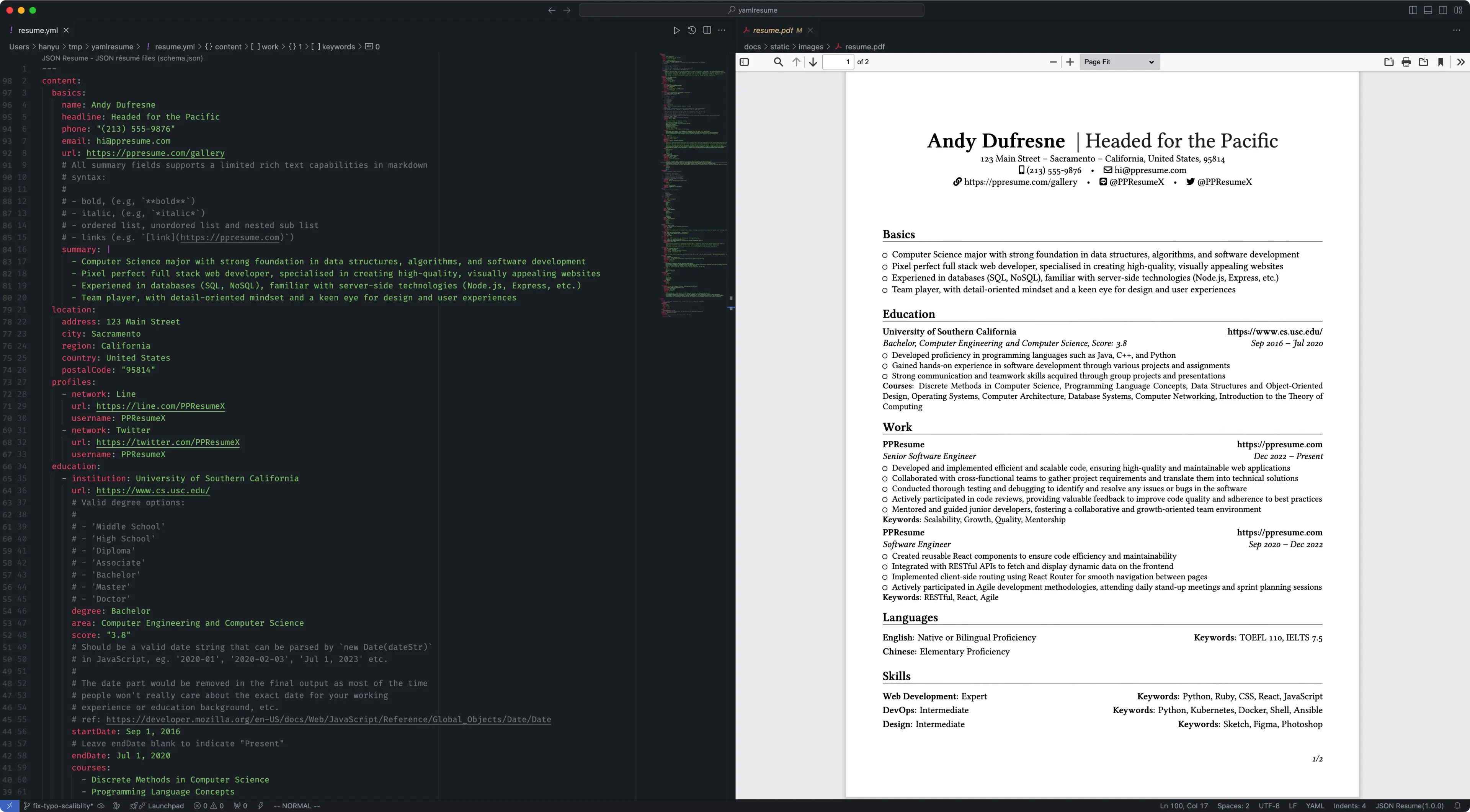
Installation is particularly convenient as it provides a Docker image. You just need to pull and run it, without worrying about environment issues. However, it takes up a relatively large amount of space, around 3GB.
new: Running this command will create a sample template
docker run --rm -v $(pwd):/home/yamlresume yamlresume/yamlresume new my-resume.ymlbuild: Export the file generated bynewinto a PDF resume
docker run --rm -v $(pwd):/home/yamlresume yamlresume/yamlresume build my-resume.ymlIf you prefer a local installation, please refer to the official documentation.
Use the new command to create a sample template, then write the corresponding content based on the provided example, and finally use the build command to generate a PDF resume.
YAMLResume also offers some custom settings, such as:
- Setting aliases for section headings
- Performing custom sorting on the display order of resume sections
By this point, you can already write a good resume. Let’s summarize.
YAMLResume has the advantage of being easy to use, but it also has its drawbacks:
- The degree of page customization is very limited. If you want to add some icons to section headings, you have to modify the theme template.
- The
descriptionunder theprojectssection cannot wrap automatically. Once the text is too long, it will go beyond the page display range.